Sustainability Diary
A fullstack web application for sustainability reflection in education — authentication, protected routes, role-based interfaces and a full UI redesign.
← Back to projects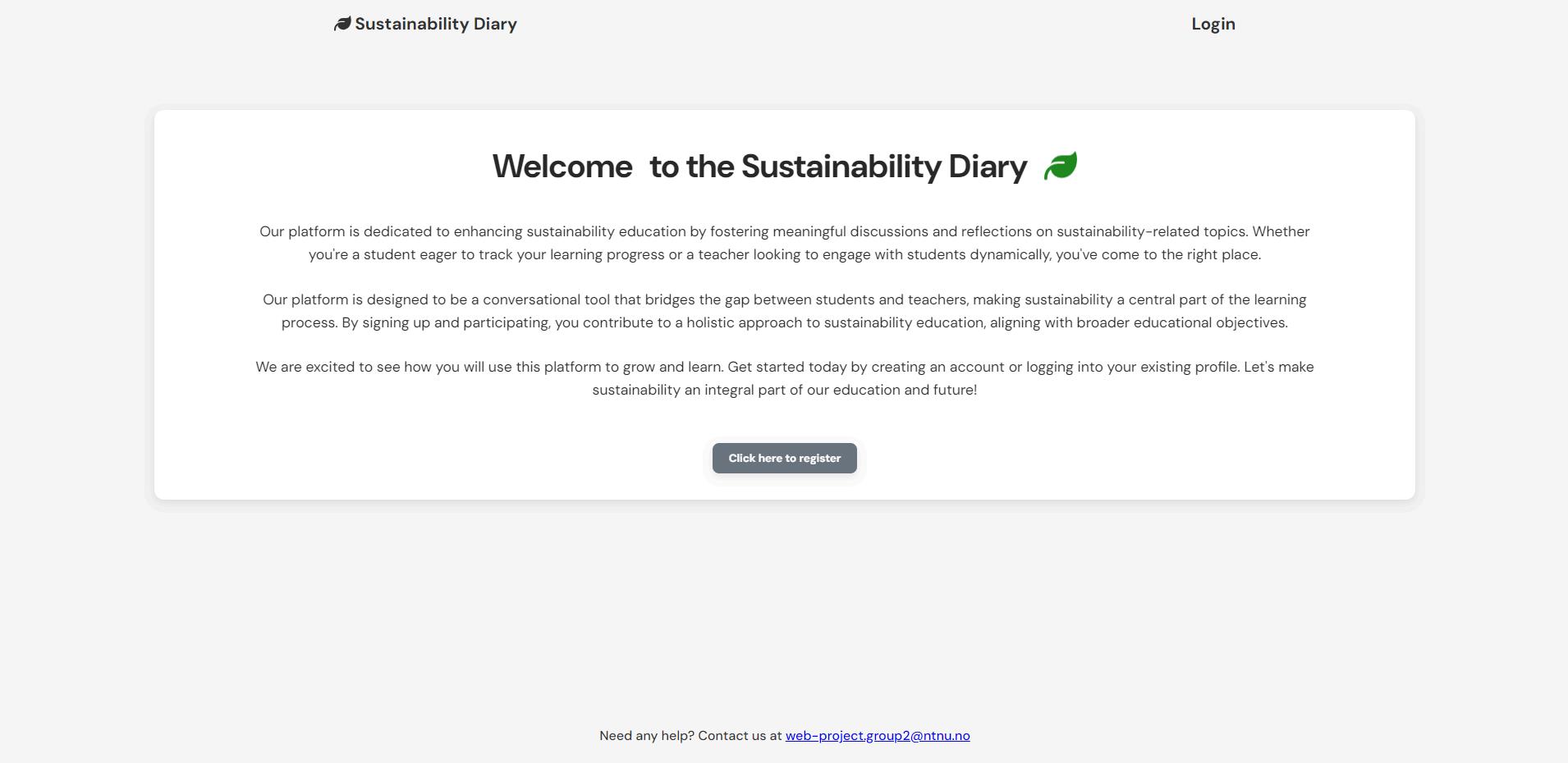
A fullstack web application for sustainability reflection in education — authentication, protected routes, role-based interfaces and a full UI redesign.
← Back to projects
Sustainability Diary is a fullstack web application developed as part of a group project at NTNU. The application was designed as a digital diary and communication tool where students can write sustainability reflections, connect them to courses and receive feedback from teachers.
Teachers can create courses, manage students and respond to submitted reflections.
This made the project more than a set of pages. It became a system with different user roles, protected areas and connected workflows.
The project needed to support two different user groups: students and teachers. Students needed a place to document reflections and follow their own learning process, while teachers needed a way to create courses and give feedback.
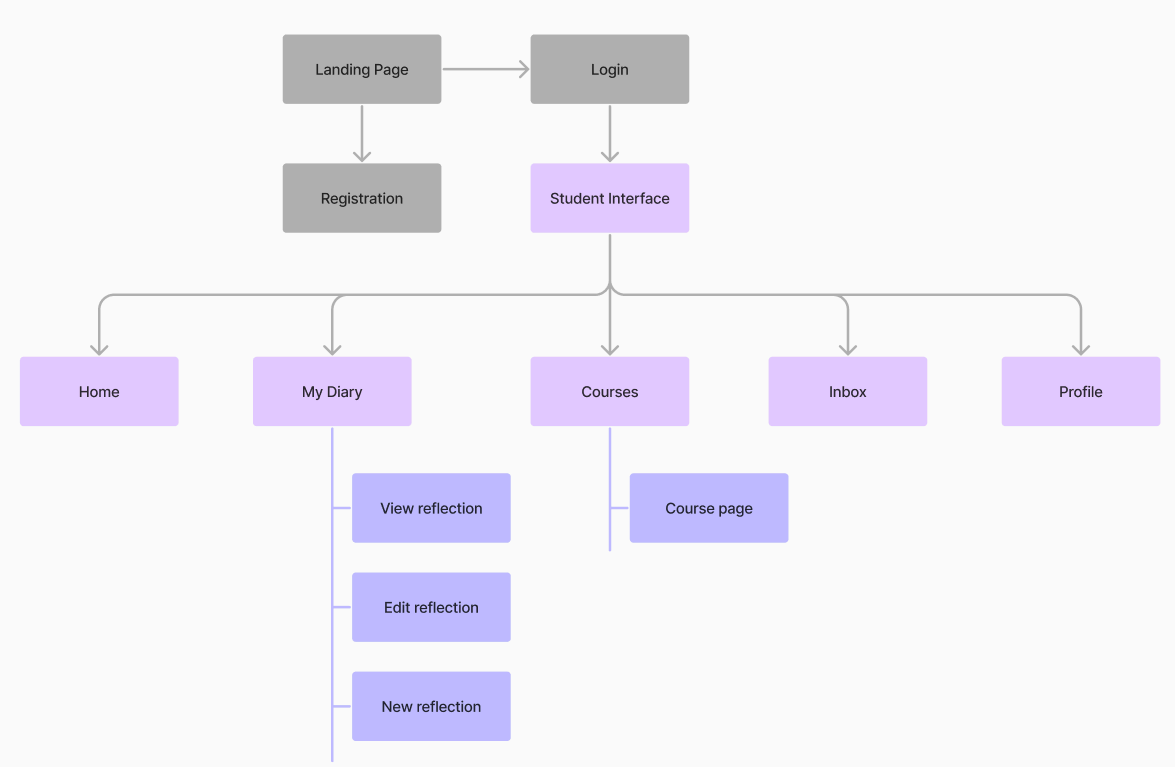
This meant that the application needed clear navigation, login and registration, role-based access and a structure where users only saw the pages and content relevant to them.
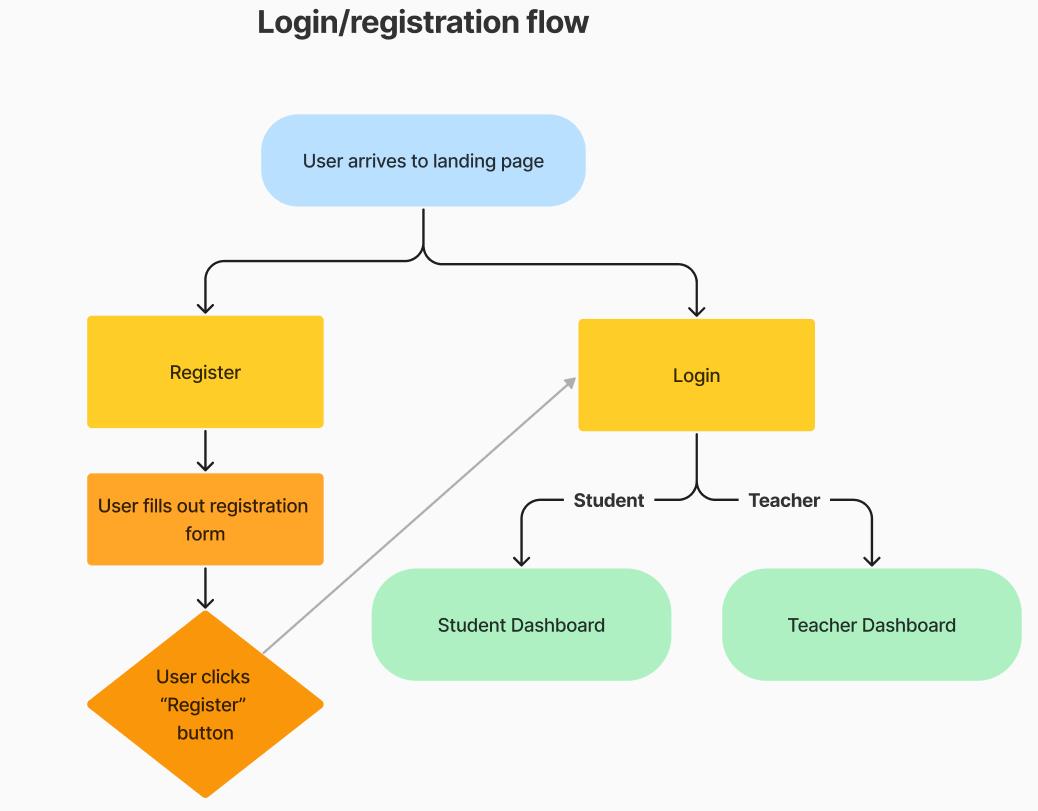
My main contribution was the authentication and access-control part of the application. I implemented login and registration on both frontend and backend, password hashing with bcrypt, JWT-based authentication and protected routes.
I also worked with role-based rendering, so that students and teachers were directed to different areas of the application based on their role.
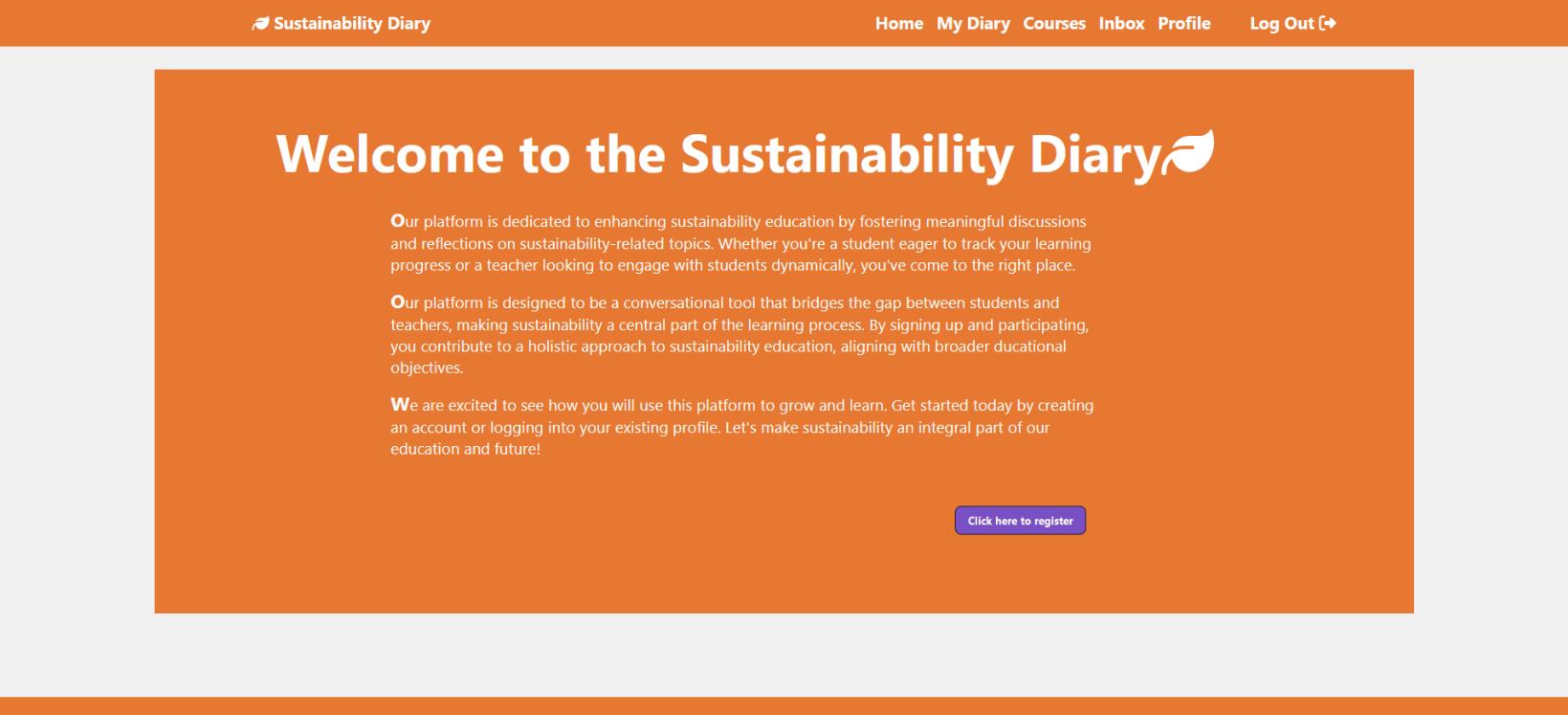
On top of the technical work, I redesigned the UI — cleaner layout, improved spacing, shadows, transitions, a more minimal color palette and better responsiveness.
Starting from user roles and information architecture, then working through authentication, routing and redesign.
The process started with understanding that the application had two connected but different user journeys. A student needed to register, log in, write reflections, connect them to courses and receive feedback. A teacher needed to create courses, manage students and respond to reflections. This made information architecture important early on.
I implemented the login and registration flow first, because the rest of the application depended on users being identified correctly. After registration, users were assigned a role. That role controlled which dashboard and pages they could access. I used JWT-based authentication and role checks to ensure each user was directed to the correct part of the application.
A student should not be able to access teacher pages, and a teacher should not see the student diary interface. I implemented protected routes that checked both authentication and role before allowing access to any page.
After the main functionality was working, I focused on making the interface calmer, cleaner and more professional — improving spacing, visual hierarchy, colors and responsiveness across the application.
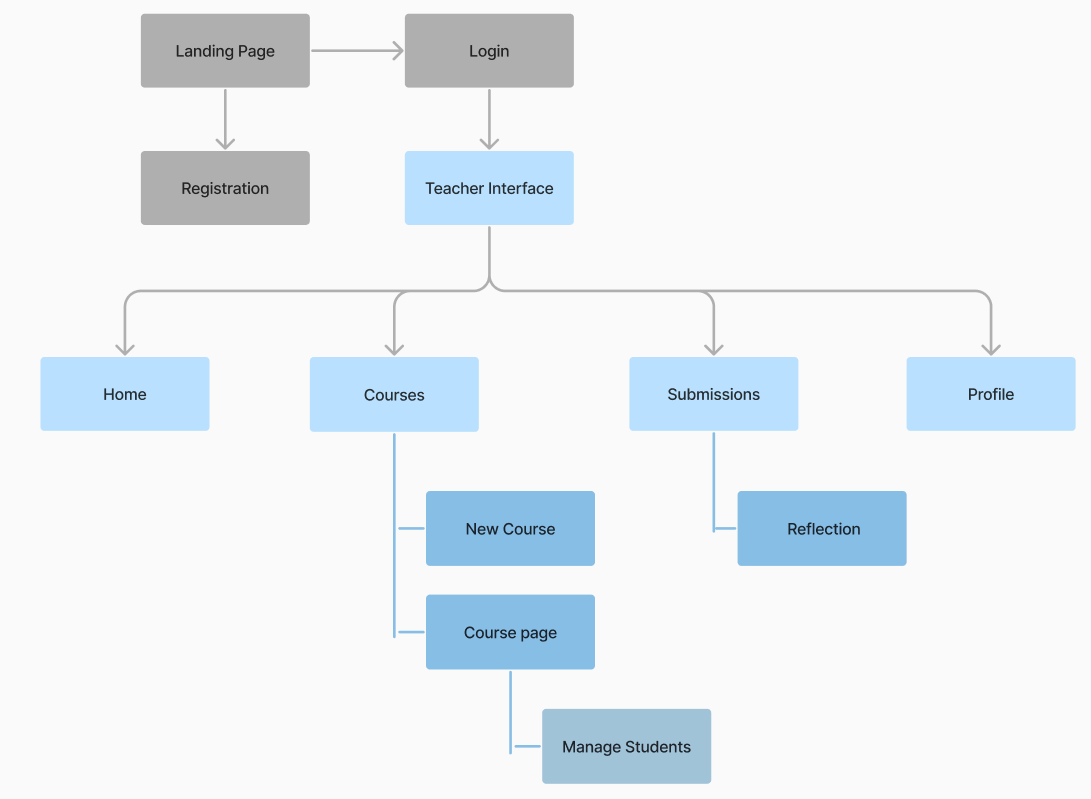
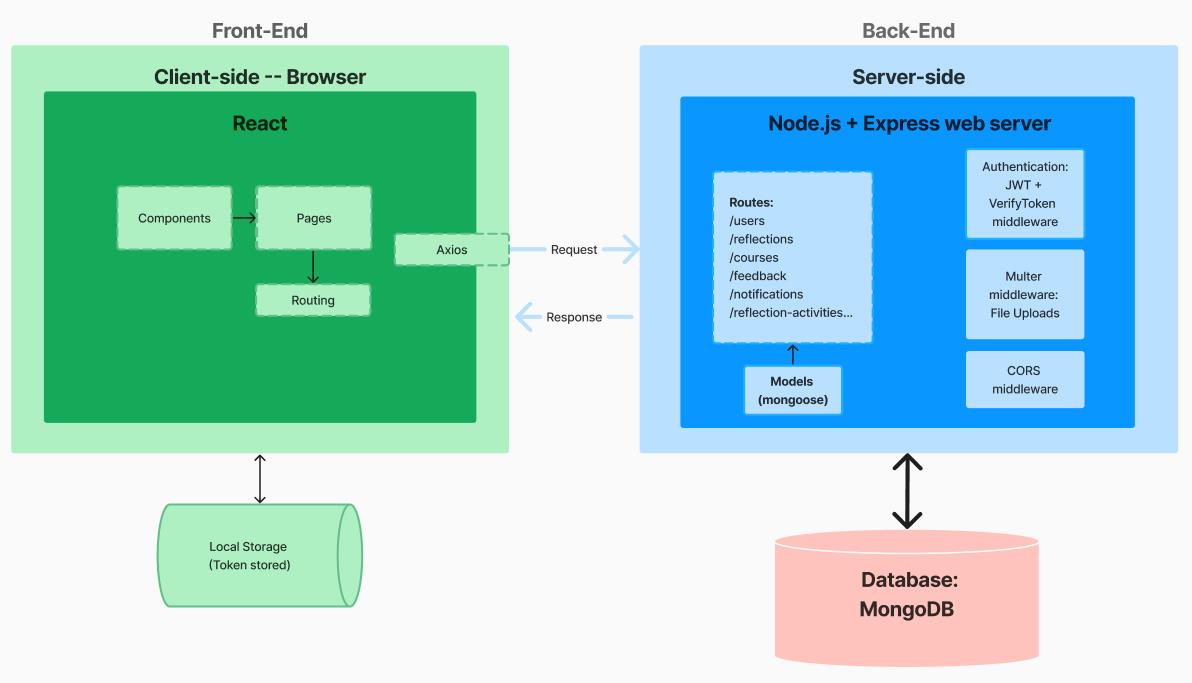
The frontend was built with React and Vite. React Router handled routing, Axios handled API requests and Quill provided rich text formatting in diary reflections.
The backend used Node.js, Express and MongoDB. Authentication was handled with JWT, and passwords were hashed with bcrypt before being stored. The system also included routes for users, reflections, courses, feedback and notifications.
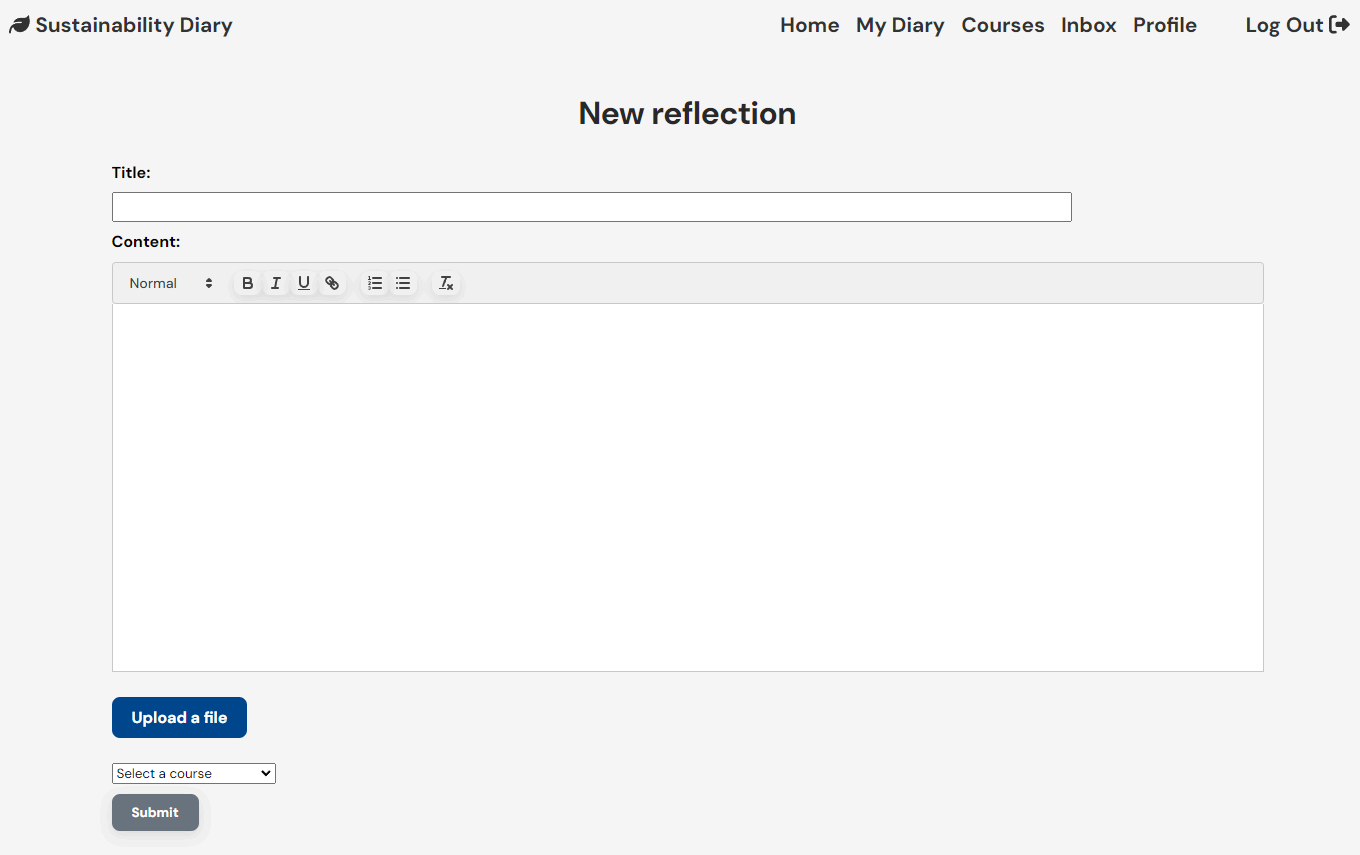
The final result was a working web application where users could register, log in and access different parts of the system depending on their role.
Students could create reflections, view their diary and receive feedback. Teachers could create courses, manage students and respond to submitted reflections. The redesigned interface made the application feel more polished and easier to understand.
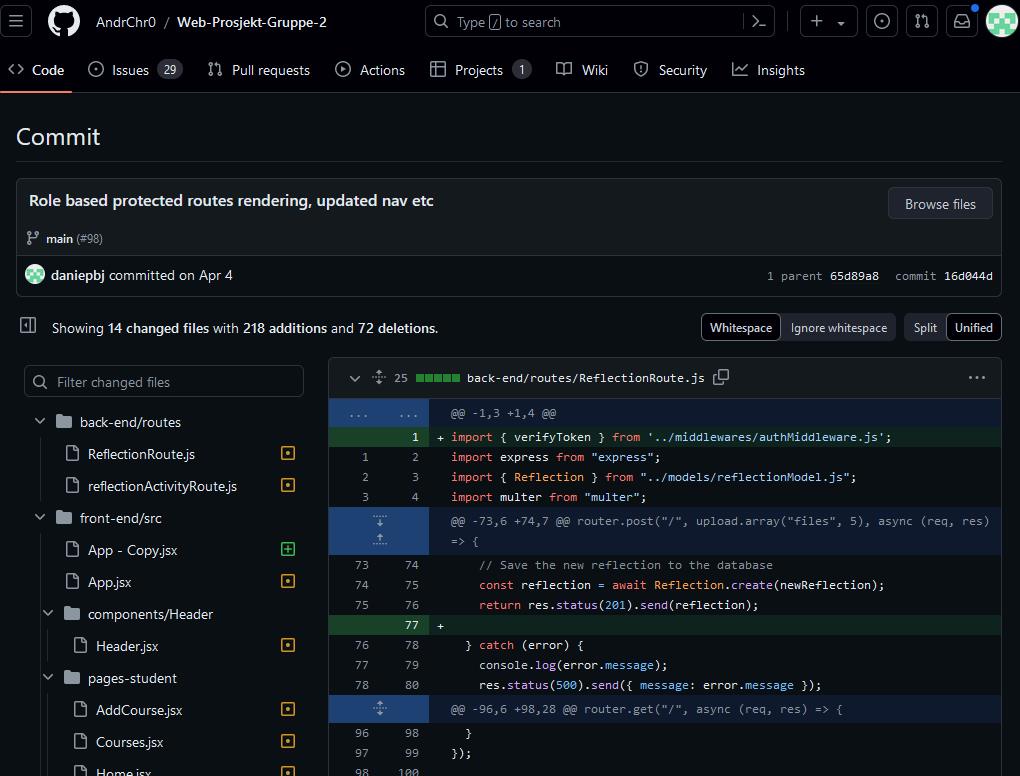
The commit history documents my work across protected routes, authentication logic and role-based rendering. These were central to how the application worked as a whole.
This project is important in my portfolio because it shows several skills that are relevant for future employers: fullstack development, authentication, protected routing, database-connected functionality, UI redesign and working in a team.
It also shows that I can work with both technical structure and user-facing design.
If I continued the project, I would improve the authentication further by using a more robust session solution, improve error handling, add stronger password requirements and write tests earlier in the process. I would also use TypeScript and structure the styling in a more maintainable way.
Even with those possible improvements, the project was an important step in my development as a web developer because it connected many parts of real application development — fullstack structure, user roles, auth and UI — into one working product.